Speak, and
the script follows.
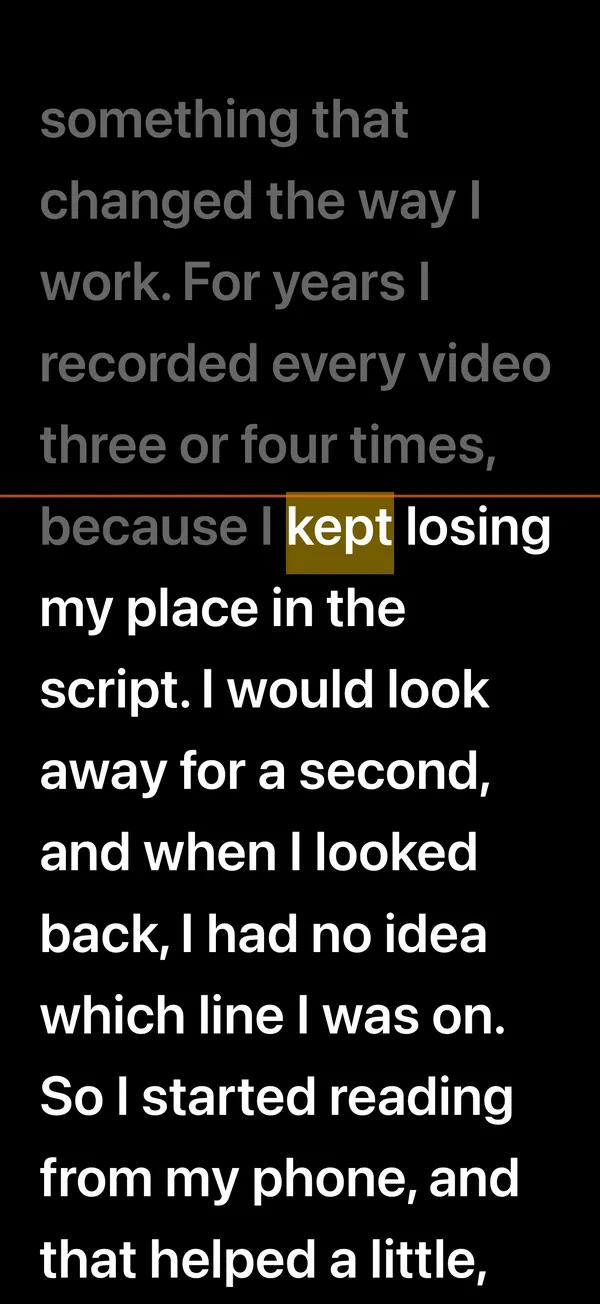
Read out loud and the line you're on stays near the top of the screen. Pause to think or ad-lib and it waits right there. Your voice and your script never leave your iPhone.
 Auto-scroll and three scripts stay free
Utter is a teleprompter app for iPhone that moves the script with your voice. Voice follow highlights what you just read and keeps that line a third of the way down the screen; pause to think or ad-lib and it waits right there. Recognition runs on the iPhone (iOS 26 on-device speech recognition): each language needs a one-time speech model download of about 400 MB, after that voice follow works offline, and your voice and scripts are never sent to a server. When you record with the front camera, the script is shown on screen only, never in the video. Free includes 3 scripts, unlimited auto-scroll, voice follow for 3 minutes per session and 720p recording; Utter Pro is an annual subscription at $39.99 (with a 3-day free trial, once per Apple ID), a monthly subscription at $7.99, or a one-time lifetime purchase at $69.99.
Highlights what you just read
Any time, no microphone needed
The script is never in the video
Scripts and speech recognition
Your line stays
near the top
Voice follow highlights what you just read and keeps that line a third of the way down the screen. Pause to think or ad-lib and the script waits right there; go back to the script and it follows again.
- Record with the front camera: the script is shown on screen only, never in the video
- Each take is its own file; save takes to Photos
- A reading guide line and a 3-2-1 countdown
Without a microphone,
or with your gear
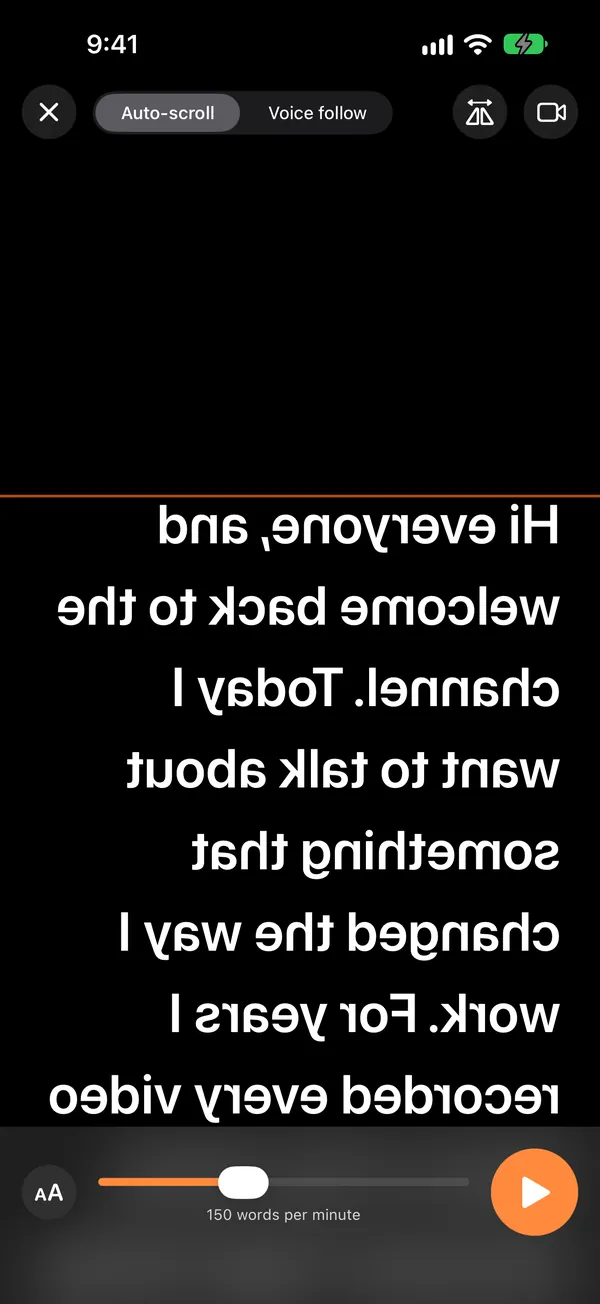
Auto-scroll runs at a pace you set in words per minute and works any time, no microphone needed. Turn on the horizontal or vertical mirror for beam-splitter glass.
- Bluetooth keyboards and page-turner pedals: Space starts and pauses, arrows change the speed and the paragraph
- Mirror and remote keys come with Utter Pro
Bring your script,
make it easy to read
Create, duplicate and search scripts in the script library. Paste text or import .txt, .docx and .pdf files; each script shows an estimated reading time.
- Text size, line spacing, margins, white-on-black and other color themes
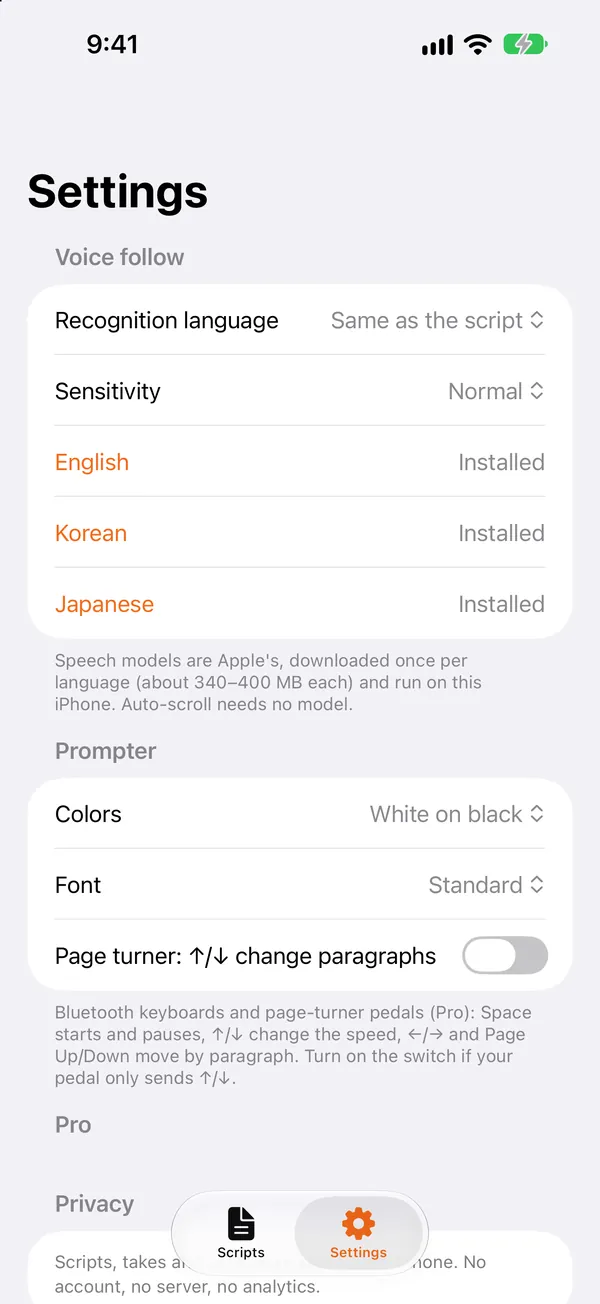
- Scripts and speech recognition in English, Korean and Japanese
- Each language needs a one-time speech model download (about 400 MB; Wi-Fi recommended)
Three steps, that's it
Add a script
Write it, paste it, or import a .txt, .docx or .pdf file.
Pick how it moves
Choose voice follow or auto-scroll and tap Start; it begins after a 3-2-1 countdown.
Read or record
Just read, or record with the front camera and save the take to Photos.
Your voice and script
stay on your phone
Speech recognition runs on your iPhone. Your voice and scripts are never sent to a server, and there is no account, no server and no analytics.
iOS 26 on-device speech recognition. Neither the audio nor the transcript is stored or sent anywhere.
App Store privacy label: Data Not Collected.
Scripts, takes and settings stay on this iPhone. No account needed.
A take is added to Photos only when you choose to.
Read for free.
Go Pro when you need it.
Auto-scroll and three scripts stay free. Voice follow is free for 3 minutes per session.
Free
- Voice follow, 3 minutes per session
- 720p recording, no watermark
- Save takes to Photos
Utter Pro Annual
- Unlimited scripts and voice follow
- 1080p and 4K recording, takes list
- Mirror and remote keys
Utter Pro Lifetime
- Every Pro feature
- No renewal payments
A monthly subscription ($7.99 / month) is also available in the app. A subscription renews automatically at the same price and length unless auto-renew is turned off at least 24 hours before the current period ends. Cancel in Settings › your name › Subscriptions. Prices may vary by country.
Common questions
How does voice follow work?
Read out loud and it highlights what you just read and keeps that line a third of the way down the screen. To read without the microphone, switch to auto-scroll.
What happens when I say something that isn't in the script?
It waits. Go back to the script and it catches up within a few words. Set Sensitivity to High in Settings to follow more loosely.
Is my voice or my script sent to a server?
No. Recognition runs on your iPhone (iOS 26 on-device speech recognition), and your voice and scripts are never sent to a server. No account needed.
Does it work offline?
Yes. Each language needs a one-time speech model download (about 400 MB; Wi-Fi recommended). After that, voice follow works offline. Auto-scroll needs no speech model.
Does the script show up in my recording?
No. When you record with the front camera, the script is shown on screen only, never in the video. Each take is its own file, and you can save takes to Photos.
What can I do for free?
3 scripts, unlimited auto-scroll, voice follow for 3 minutes per session, and 720p recording with no watermark.
Is Utter Pro a subscription?
You choose: an annual subscription at $39.99 (with a 3-day free trial, once per Apple ID), a monthly subscription at $7.99, or a one-time lifetime purchase at $69.99.
Does it work with beam-splitter glass and remotes?
Yes, with Utter Pro. The horizontal and vertical mirror is for beam-splitter glass; with Bluetooth keyboards and page-turner pedals, Space starts and pauses and the arrows change the speed and the paragraph.
Which iPhones does Utter support?
Any iPhone running iOS 26 or later. Scripts and speech recognition work in English, Korean and Japanese.
How do I cancel or get a refund?
Cancel in iPhone Settings › your name › Subscriptions. Apple handles every payment, so refunds are requested from Apple at reportaproblem.apple.com.
Let the script follow you
Get it on the App Store.